Watch privately
Start a private viewing session with a clear boundary around playback and history, then return to your normal library when you are done.
Explore the detailsLive TV. Movies. Series. Radio. Your own sources.
A native player for Mac, iPhone, iPad, Android, and TV.
A player only. No channels, subscriptions, or media content included.
The latest release adds Watch Privately, a personal weekly view, a privacy report, kids viewing limits, start-from-the-beginning playback, and the same local-first library experience across Mac, mobile and TV. No media or subscriptions are included.
Start a private viewing session with a clear boundary around playback and history, then return to your normal library when you are done.
Explore the detailsThe personal weekly view brings your own watch history and recommendations into one place, while local search still groups channels, films, series, episodes, guide programmes and collections.
Explore the detailsKids viewing limits and start-from-the-beginning playback add practical control without changing the player-only promise: you connect your own legally obtained sources.
Explore the detailsStreamSetu uses a native interaction model for each device. The same sources and library ideas travel with you, while the controls fit a remote, a keyboard, or a touch screen.
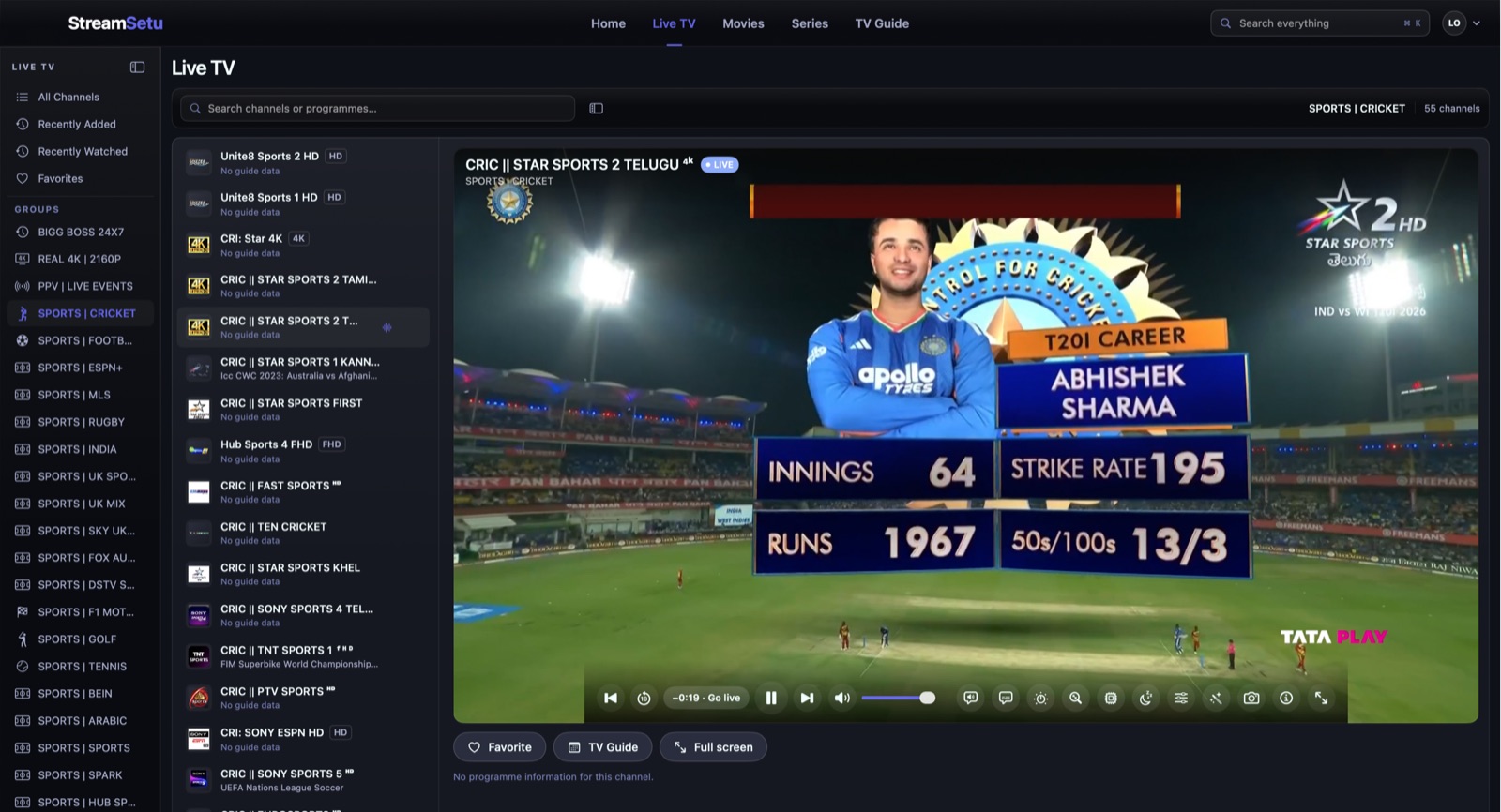
Keyboard-friendly browsing, local catalog search, detailed playback controls, and full-window watching.
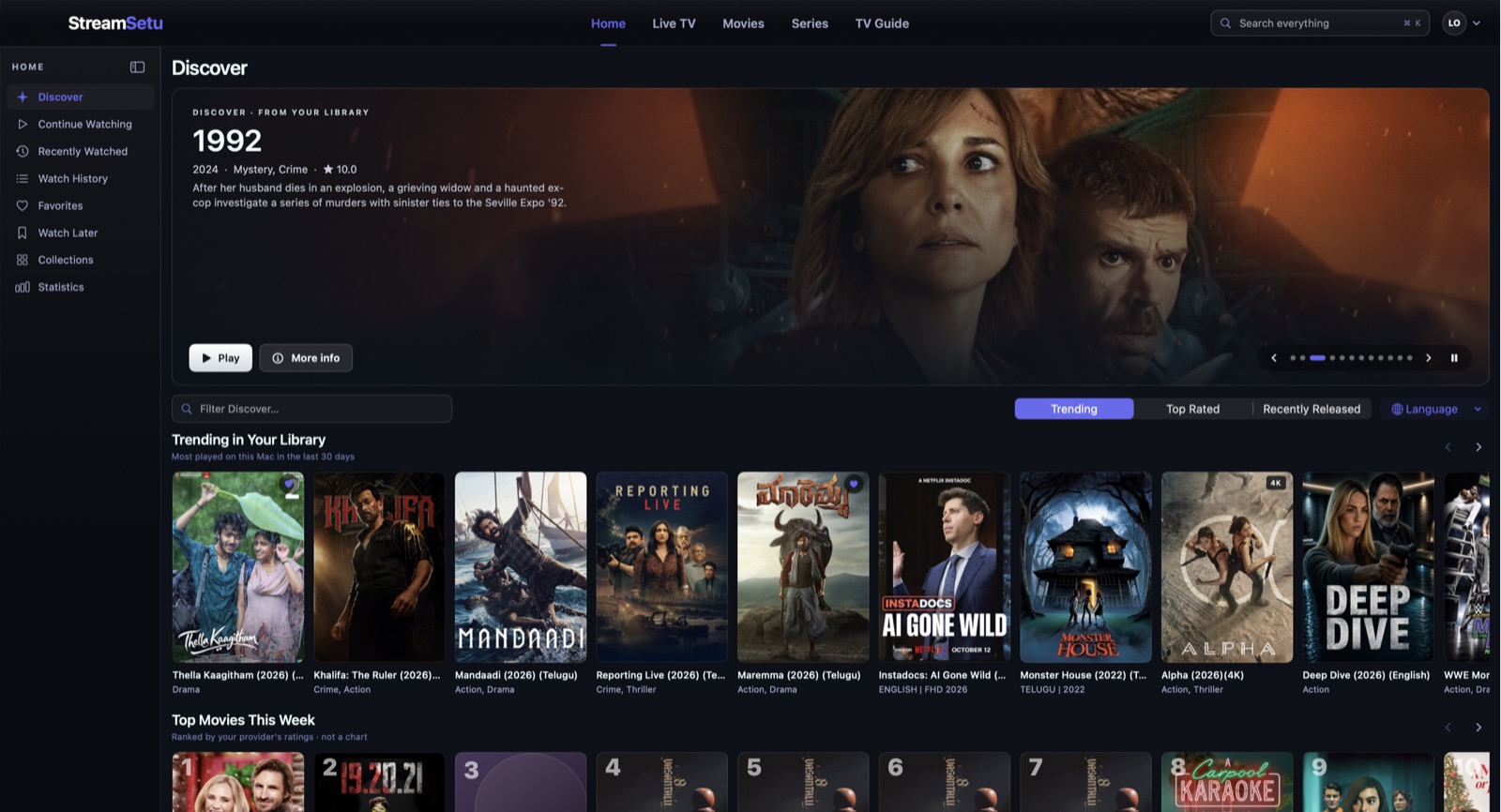
See Mac screens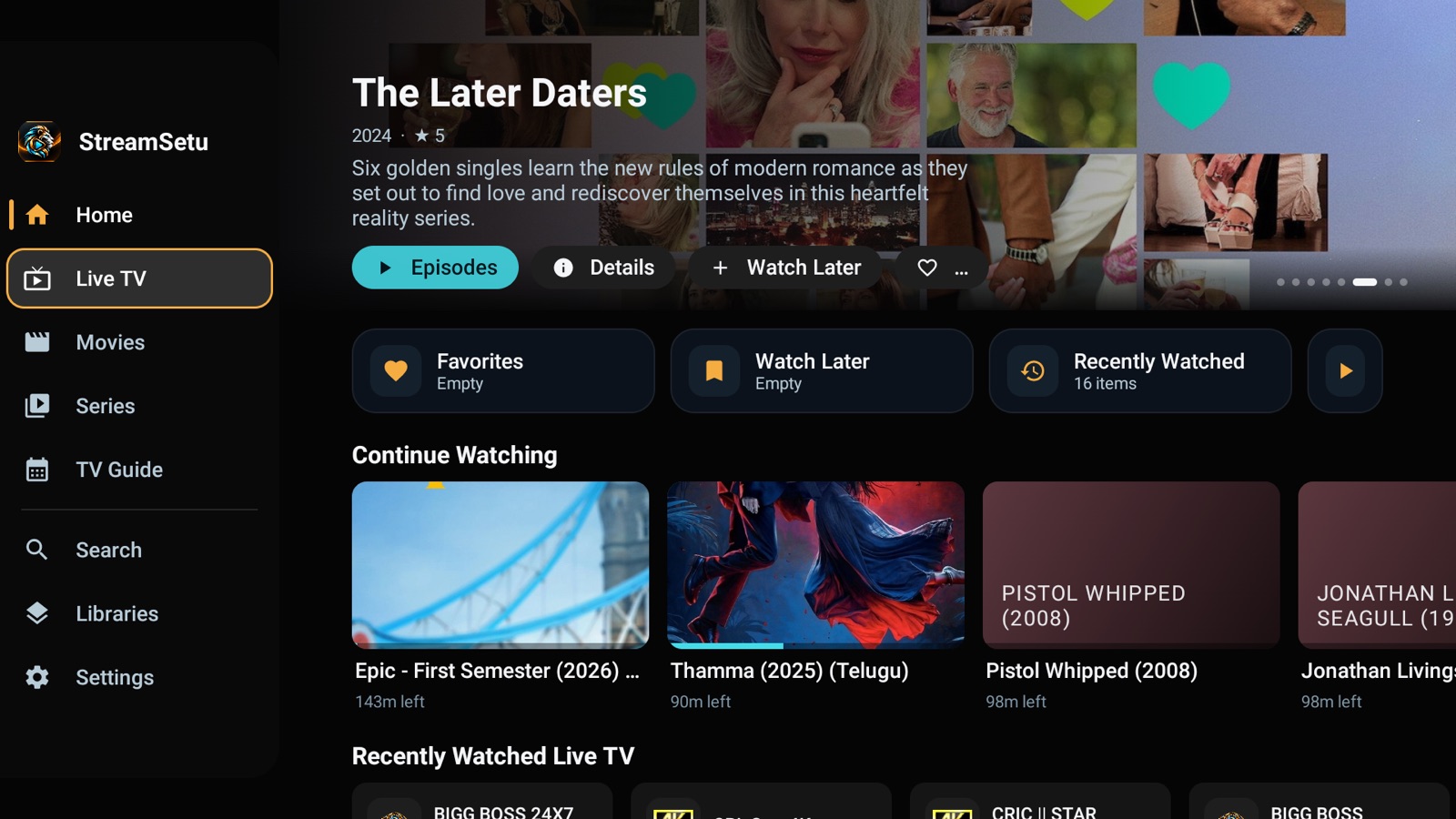
Focus stays visible through the sidebar, library rows, guide, player, and detail screens.
See TV screens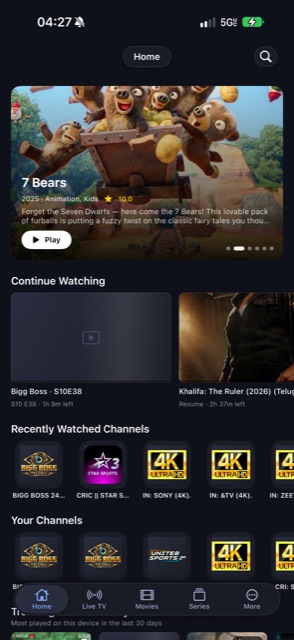
Touch browsing, picture-in-picture and AirPlay where the source and playback engine support them.
See mobile screens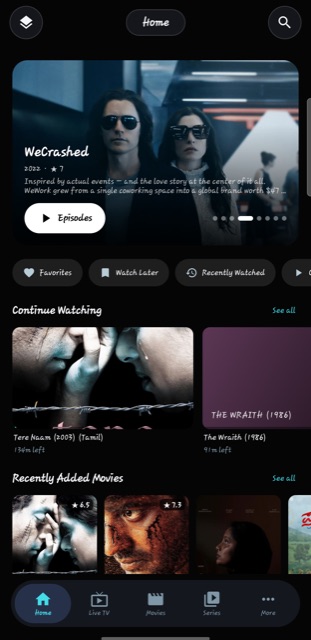
Local library state, player gestures, Android playback engines, and TV handoff paths.
See Android screensBring your own sources. Organise them locally. Watch with native controls made for the screen in front of you.
Browse provider groups and channel numbers, follow the XMLTV guide, set a programme reminder, or jump back through catch-up where the provider offers an archive. Radio stations have an audio-only view.
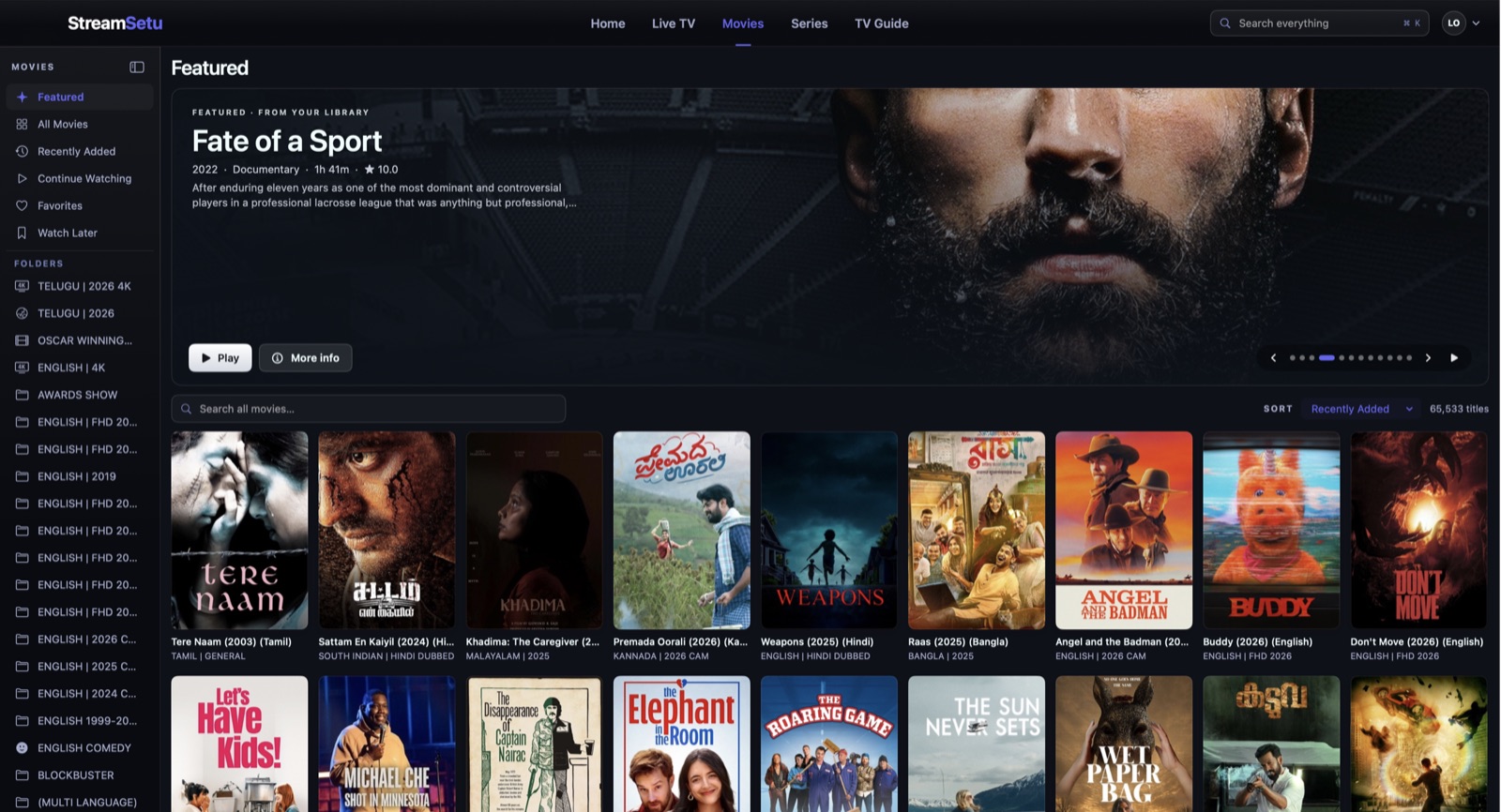
Poster browsing, detail pages, seasons, episodes, Continue Watching, Watch Later, and collections make your own catalog easier to return to. Local search covers titles, guide programmes, folders, and collections, including typo correction from your library.
AVPlayer and mpv on Apple; Media3 ExoPlayer and mpv on Android. Engine choice, relevant retry actions, buffering, quality selection, stream statistics, and per-source settings help with formats and connection problems. Controls vary by platform and engine.
M3U links and files, Xtream Codes, Stalker/Ministra live portals, Jellyfin, Emby, Plex, HDHomeRun, TVHeadend, Enigma2, WebDAV, and local files. Combined libraries bring connections together without copying media.
Rename, reorder, pin, hide, favourite, or PIN-lock provider folders. Create collections, manage channels and guide mappings, check channel health, and review local watch statistics. Provider playlists are not rewritten by your local changes.
Audio, subtitle, speed, and timing preferences; themes and accents; Hindi and Telugu on the main screens; backups and weekly automatic backups. Optional Apple iCloud sync carries your library state, with a separate choice for credential sync.
TV navigation with a remote, desktop shortcuts on Mac, touch grids and gestures on phones. Sound can continue in the background on supported mobile platforms; casting and picture-in-picture have specific platform and engine requirements.
Compare every capability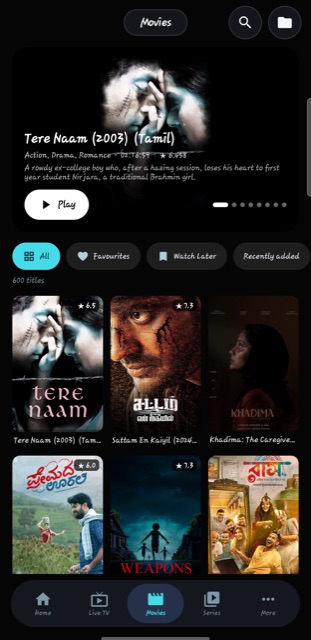
Explore Home, Live TV, Movies, and Series on Mac, Fire TV, Android, and iPhone. Open any screen at full size.
A native desktop interface for your own library and Continue Watching. Artwork comes from the connected provider. StreamSetu includes no media content.
The full feature matrix from the repository. Compare support, engine requirements, and platform-specific notes.
| Feature | Mac | iPhone | iPad | Android phone / tablet | Fire TV / Android TV |
|---|---|---|---|---|---|
| ConnectionsXtream Codes login | Supported | Supported | Supported | Supported | Supported |
| ConnectionsM3U link | Supported | Supported | Supported | Supported | Supported |
| ConnectionsM3U file from the device | Supported | Supported | Supported | Supported | Supported |
| ConnectionsStalker / Ministra portal | Supported | Supported | Supported | Supported | Supported |
| ConnectionsJellyfin, Emby, Plex | Supported | Supported | Supported | Supported | Supported |
| ConnectionsHDHomeRun, TVHeadend, Enigma2 | Supported | Supported | Supported | Supported | Supported |
| ConnectionsWebDAV server and local video files | Supported | Supported | Supported | Supported | Supported |
| ConnectionsCustom User-Agent per connection | Supported | Supported | Supported | Supported | Supported |
| ConnectionsExtra request headers per connection, and a proxy | Supported | Supported | Supported | Supported | Supported |
| WatchingLive TV with groups and channel numbers | Supported | Supported | Supported | Supported | Supported |
| WatchingTV Guide, XMLTV | Supported | Supported | Supported | Supported | Supported |
| WatchingCatch-up for past programmes | Supported | Supported | Supported | Supported | Supported |
| WatchingRadio mode | Supported | Supported | Supported | Supported | Supported |
| WatchingMovies and series with resume and Up Next | Supported | Supported | Supported | Supported | Supported |
| WatchingMulti-View, several channels at once | Supported | Supported | Supported | Supported | Supported |
| WatchingPicture in Picture | Supported | Supported | Supported | Supported | Not available |
| WatchingAirPlay | Supported | Supported | Supported | Not available | Not available |
| WatchingChromecast | Not available | Not available | Not available | Supported | Not available |
| WatchingSound keeps playing in the background, with lock-screen controls and a mini player | Not available | Supported | Supported | Supported | Not available |
| WatchingSleep timer | Supported | Supported | Supported | Supported | Supported |
| WatchingSkip intro | Supported | Supported | Supported | Supported | Supported |
| WatchingSearch the whole catalog from inside the player, with All, Movies, Series and Live TV | Supported | Supported | Supported | Supported | Supported |
| WatchingGo to an exact time | Supported | Supported | Supported | Supported | Supported |
| WatchingRemembered audio, subtitles, speed and timing for each title or channel | Supported | Supported | Supported | Supported | Supported |
| WatchingSubtitles from OpenSubtitles, with your own free key | Supported | Supported | Supported | Supported | Supported |
| WatchingPicture tuning, brightness, contrast, saturation, gamma | Supported | Supported | Supported | ✓ with mpv | ✓ with mpv |
| WatchingVolume boost above 100% | Supported | Supported | Supported | Supported | Supported |
| WatchingSubtitle size, colour, position and background in the player | Supported | Supported | Supported | Supported | Supported |
| WatchingChoose the resolution of a stream that offers several | Supported | Supported | Supported | Supported | Supported |
| WatchingStats overlay with decoder, bitrate, buffer and dropped frames | Supported | Supported | Supported | Supported | Supported |
| WatchingSound keeps playing while you browse, with a small now-playing box | Not available | Supported | Supported | Supported | Supported |
| WatchingSubtitles from a file, and subtitle and sound timing | Supported | Supported | Supported | ✓ timing with mpv | ✓ timing with mpv |
| WatchingSave a picture of the frame | Supported | Supported | Supported | Supported | Supported |
| WatchingProgramme reminders | Supported | Supported | Supported | Supported | Supported |
| WatchingSwipe to change channel | Not available | Supported | Supported | Not available | Not available |
| WatchingTouch gestures in the player, double-tap skip, brightness, volume | Not available | Supported | Supported | Supported | Not available |
| WatchingPlayer engines | AVPlayer + mpv | AVPlayer + mpv | AVPlayer + mpv | ExoPlayer + mpv | ExoPlayer + mpv |
| Your libraryFavorites, Watch Later, Recently Watched, Continue Watching | Supported | Supported | Supported | Supported | Supported |
| Your libraryCollections of your own | Supported | Supported | Supported | Supported | Supported |
| Your libraryFolders: reorder, hide, rename, PIN lock | Supported | Supported | Supported | Supported | Supported |
| Your librarySearch that works offline | Supported | Supported | Supported | Supported | Supported |
| Your libraryNew-episode badge on series you watch | Supported | Supported | Supported | Supported | Supported |
| Your librarySmart lists: Unwatched, Unwatched favorites, Added in 30 days | Supported | Supported | Supported | Not available | Not available |
| Your libraryAll playlists together, Apple / Combined libraries, Android | Supported | Supported | Supported | Supported | Supported |
| Your libraryHide, rename and check channels, Channel Manager, health check | Supported | Supported | Supported | Supported | Supported |
| Your libraryWatch statistics | Supported | Supported | Supported | Supported | Supported |
| Your libraryArtwork and details from TMDB, your own API key | Supported | Supported | Supported | Supported | Supported |
| Your libraryParental controls | Supported | Supported | Supported | Supported | Supported |
| Your libraryThemes and accent colours | Supported | Supported | Supported | Supported | Supported |
| Your libraryScreen reader labels | Supported | Supported | Supported | ✓ phone | Not available |
| Your libraryHindi and Telugu, the main screens; some text is still English | Supported | Supported | Supported | Supported | Supported |
| More like thisSuggestions under a movie or series by franchise, director, genre, cast and story, each with its reason | Supported | Supported | Supported | Supported | Supported |
| Sync and updatesiCloud sync between your Apple devices | Supported | Supported | Supported | Not available | Not available |
| Sync and updatesBackup and restore, and automatic weekly backups | Supported | Supported | Supported | Supported | Supported |
| Sync and updatesRefresh playlists when the app opens | Supported | Supported | Supported | Supported | Supported |
| Sync and updatesRefresh while the app is closed | Not available | ✓ iOS decides when | ✓ iOS decides when | Supported | Supported |
| Sync and updatesSiri and Shortcuts | – use Open URL links | Supported | Supported | Not available | Not available |
| Sync and updatesstreamsetu:// links: play a channel or movie, search, open a tab, pause, resume, sleep | Supported | Supported | Supported | play and search | play and search |
| Sync and updates"Continue watching" row on the Android TV home screen | Not available | Not available | Not available | Not available | ✓ Android TV; not Fire TV |
| Sync and updatesUpdates itself | ✓ Sparkle | TestFlight | TestFlight | ✓ checks GitHub, asks before installing | ✓ checks GitHub, asks before installing |
60 features shown. Apple Picture in Picture and AirPlay require AVPlayer. Android phone TV Guide shows now/next rather than the full grid. Android mpv requires Android 8+. Casting, timing, and remote controls depend on the selected engine and release.
Explore every feature family, controls, platform differences, and practical limits documented in the project README.
The Android app detects a phone or tablet and shows a touch layout, laid out like the iPhone app: a floating tab bar (Home, Live TV, Movies, Series, More), a banner you can tap, folder and list chips, poster and channel grids, and sheets that slide up for menus. Touch and hold a title for its menu. The player turns with the phone: tap the picture to show the controls, double-tap the left or right side to skip, drag the bar to seek, swipe up or down on the left for brightness and on the right for volume. A Fire TV or Android TV keeps the remote layout below.
| Press | What happens |
|---|---|
| Back on a page | Opens the sidebar, Home, Live TV, Movies, Series, TV Guide, Search, Libraries, Settings. On Home the sidebar is always there as a narrow icon strip. |
| Up / Down in the sidebar | Moves between sections. Nothing opens until you press OK. |
| OK on a section | Opens it, hides the sidebar and puts the cursor on that page's folder list. |
| Right from the folders | Moves into the channels, posters or episodes. Left goes back to the folders. |
| OK on a poster or channel | Opens its detail page, or plays a channel. |
| Hold OK, about half a second | The menu for what's under the cursor: favorite, Watch Later, mark watched, pin, hide, move, lock, rename, and the like. |
| Back inside a page | One step up: close the menu, leave the detail page, return to the folders, then the sidebar, then Home. On Home, Back goes to the sidebar first, and one more Back returns to the library chooser. |
Libraries. The first screen lists your connections. Pick one and choose Open Library. Manage Library edits or removes it, and Add another or the Quick Add buttons set up Xtream Codes, M3U, a local file or a combined library. Choose Libraries in the sidebar to come back here.
Folders. Every folder is a provider category. Hold OK on a folder to reorder it, hide it, lock it with a PIN, favorite it, pin it to the top, or rename it. Your changes stay on this device and never change the provider's playlist. New folder makes a collection of your own. The shortcut chips above the posters (Favorites, Watch Later, Recently Watched, Continue Watching) show those lists for the current section.
Search. Choose Search in the sidebar, or the Search chip on a page. Type with the on-screen keyboard, or scan the QR code and type on your phone.
| Press | Movies and episodes | Live TV |
|---|---|---|
| OK | Show the controls, or pause and resume | Show the controls |
| Left / Right | Skip back or forward, 10 seconds by default, changeable in Settings | Left opens the channel list |
| Up / Down | Down moves to the buttons along the bottom | Next or previous channel |
| Number keys | Type a channel number and wait a moment | |
| Menu or Info | Opens the More panel: start over, sleep timer, 15 to 120 minutes, jump, 10 seconds to 10 minutes, audio and subtitle sync, stream information, picture in picture, close player | The same, plus favorite and last channel |
| Play/Pause, Fast-forward, Rewind, Next, Previous | Work as on any media remote | Next and Previous change channel |
| Back | Hides the controls when they are showing. With them hidden, asks "Stop watching?" so a stray press doesn't end the film. Choose Continue watching or Exit the player. | Same |
The buttons along the bottom open the episode list, channel list, audio and subtitles, speed, picture shape and which player (ExoPlayer or mpv) is in use. Press Up to return to the picture. If a stream does not play, the screen offers Try Again, Next Channel and Close.
The top bar switches between Home, Live TV, Movies, Series and TV Guide, and each section has its own list on the left. Keyboard shortcuts (the full list is under Cmd+/, Keyboard Shortcuts):
| Keys | Action |
|---|---|
| Cmd+1 to 5 | Switch section |
| Cmd+K | Search everything |
| Cmd+F | Search within the current screen |
| Cmd+N | Add a playlist |
| Cmd+O | Open a video file |
| Cmd+R | Refresh all playlists |
| Cmd+Shift+M | Open Multi-View |
Use the tab bar at the bottom: Home, Live TV, Movies, Series and More. Tap a poster for its page, and use the buttons at the top for search, sorting and filters.
On the Mac, iPhone and iPad, iCloud sync keeps your setup the same on every device signed in to the same Apple ID. It is off by default: you turn it on in Settings, under iCloud.
Name: value || Name: value in the form), and an app-wide HTTP or SOCKS proxy that never touches addresses on your own network.radio="true" (or in a Radio category) play with an audio-only screen.Published release addition — franchise timeline: Mac 2.6.0, iOS 0.7.0 and Android/TV 0.11.0 show the franchise’s films from your library in release order, marking the current film. Dubs and quality copies count once; More Like This also avoids duplicate versions.
These notes describe Android. The Apple privacy policy separately documents automatic playback-error logs enabled by default, with an off switch in Settings → Send Feedback. Optional iCloud, artwork, subtitle and trailer services also make network requests.
| Mac | iPhone and iPad | Android phone / tablet and Fire TV / Android TV | |
|---|---|---|---|
| Language | Swift, SwiftUI, AppKit | Swift, SwiftUI | Kotlin, Jetpack Compose |
| Players | AVPlayer and mpv | AVPlayer and mpv, MPVKit | Media3 ExoPlayer and mpv |
| Formats | HLS and MP4 through AVPlayer; MKV, AVI, DASH, RTSP and unusual codecs through mpv | The same as the Mac | HLS, MP4, DASH and MPEG-TS through ExoPlayer; MKV, AVI and unusual formats through mpv |
| Minimum | macOS 14 | iOS 18 | Android 5.1, mpv needs Android 8 |
The Fire TV app has been developed and tested on a Fire TV Stick 4K (Fire OS 7). The Android phone layout has been tried on one Samsung phone running Android 16. Other devices should work but have not all been tested.
streamsetu:// links.The source is published so it can be read. Unless a licence file says otherwise, all rights in StreamSetu's own code and artwork are reserved by the author. StreamSetu uses third-party software under its own licences, including AndroidX Media3 (Apache 2.0), mpv/libmpv (LGPL 2.1 or later, GPL in some builds), OkHttp, Retrofit, Coil, Hilt, Room, ZXing and Sparkle.
02 / UNDER THE SURFACE
Source adapters, local catalog state, and playback capabilities form the boundaries of the system.
Playlists, media servers, guide data, local files
Source adapters, SQLite, search and library state
Desktop, touch, and remote navigation
AVPlayer or ExoPlayer, with mpv support
Conceptual layers. Playback connects directly to your chosen source; the catalog stores library state.
SwiftUI on Apple devices and Kotlin / Compose on Android allow distinct desktop, touch, and television layouts instead of stretching one interface across every screen.
Apple uses AVPlayer and mpv; Android uses ExoPlayer and mpv. AirPlay and Apple Picture in Picture depend on AVPlayer, so the page makes those limits explicit.
Catalogs and viewing state live locally. Optional iCloud sync connects Apple devices; external artwork, subtitles, and trailer services have their own data flows.
YOUR DATA. YOUR CHOICE.
No StreamSetu account or advertising. Your library is stored locally. Automatic playback-error reports are enabled by default in the documented Mac implementation and can be switched off in Settings → Send Feedback. Optional sync and metadata services also send data as described in the app privacy policy.
A player only: no channels, films, subscriptions, or content are supplied. Bring sources you are entitled to use.
iPhone and iPad distribution is through TestFlight. Windows is not released.
Platform features differ. Picture in Picture and AirPlay on Apple require an AVPlayer-compatible stream.
READY WHEN YOU ARE
Free downloads. Your own library. Choose a device to see the installation steps.
Apple silicon & Intel · macOS 14+
Download for Mac043bb0f0c3b6692eef7a1215607e10c00bf4b80120be57a9447c5be47316cd08Compare this value with the SHA-256 of the downloaded file.
Release information checked 18 October 2026. GitHub release notes remain the source for updates. Beta access may change.